Job-Agent User Guide

Your AI co-pilot for a structured and effective job search

Version 2025 - Free Plan
1

What is Job-Agent?

Platform overview

Job-Agent is an AI-powered job search management platform. It analyses your CV, tracks your applications and generates personalised documents for each position.

🧠

Memory Core

Your professional identity automatically extracted from your CV

πŸ“Š

AI Analysis

Fit score and recommendations for each job posting

πŸ“„

Documents

Tailored CV and cover letter generated in one click

🎯

Interview Prep

Company briefing and preparation for key questions

πŸ“ˆ

Insights

Analytics dashboard for your job search

Demo accountThis guide uses the test account of Sophie Martin, a marketing manager with 6 years of experience, to illustrate all platform features.
2

Dashboard

Central view of your job search

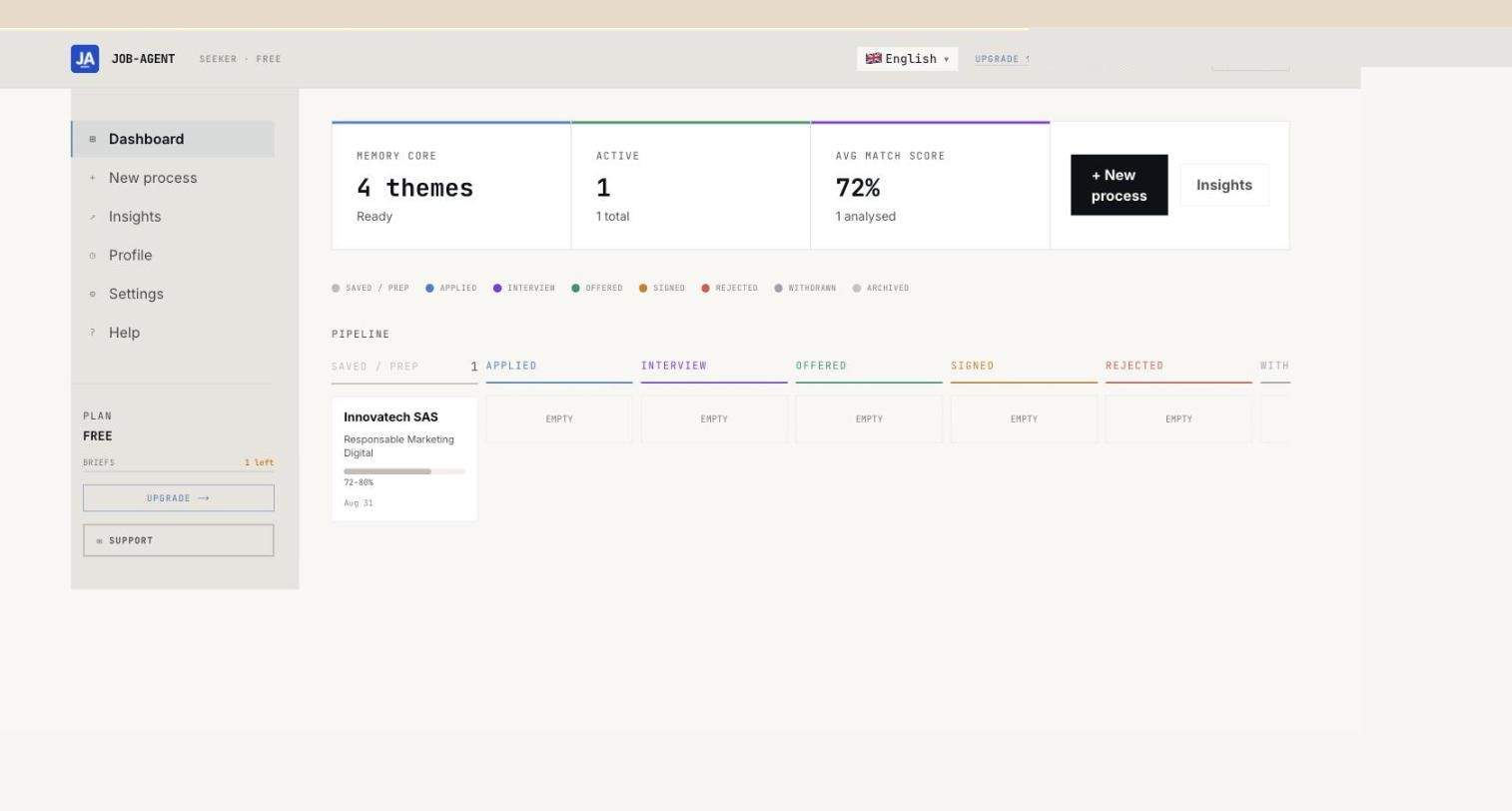
The dashboard is your main entry point after login. It displays your Memory Core, your applications kanban pipeline and key statistics.

Job-Agent dashboard

Memory Core

🧠

Memory Core

4 detected themes, 3 identified roles, 6 years of experience. The heart of your AI profile.

πŸ“‹

Kanban Pipeline

Visualise your applications by status: Active, Interview, Offer, Rejected.

πŸ“Š

Average score

72% average fit score across your active applications.

TipClick on a kanban card to go directly to the detail of the corresponding application.
3

Create a new process

Add an application to track

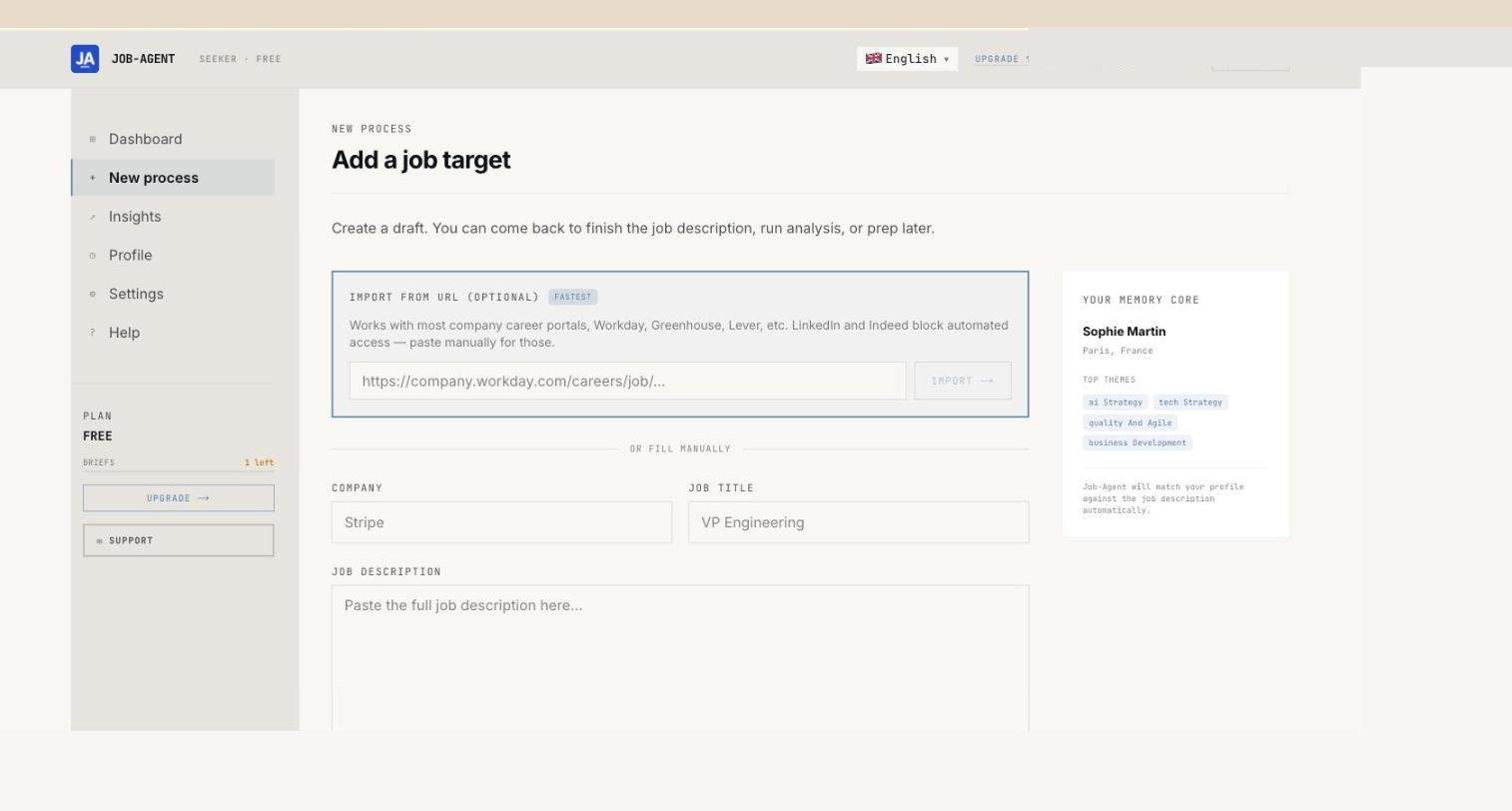
Each application is tracked as an independent "process". You enter the job details and the AI handles the analysis.

New process form

Click "New Process"

From the dashboard, click the "New Process" button at the top right.

Enter the role and company

Enter the job title (e.g. Digital Marketing Manager) and the company name (e.g. Innovatech SAS).

Paste the job description

Paste the full text of the job posting into the "Job Description" field. The more complete the description, the better the analysis.

Confirm to start the analysis

Click "Create draft & continue". The AI automatically analyses the fit with your Memory Core profile.

Your Memory Core is visible on the rightDuring creation, the right panel displays your detected themes (MARKETING DIGITAL, AI & DATA, etc.) to remind you of the skills that will be assessed.
4

AI Analysis

Fit score and recommendations

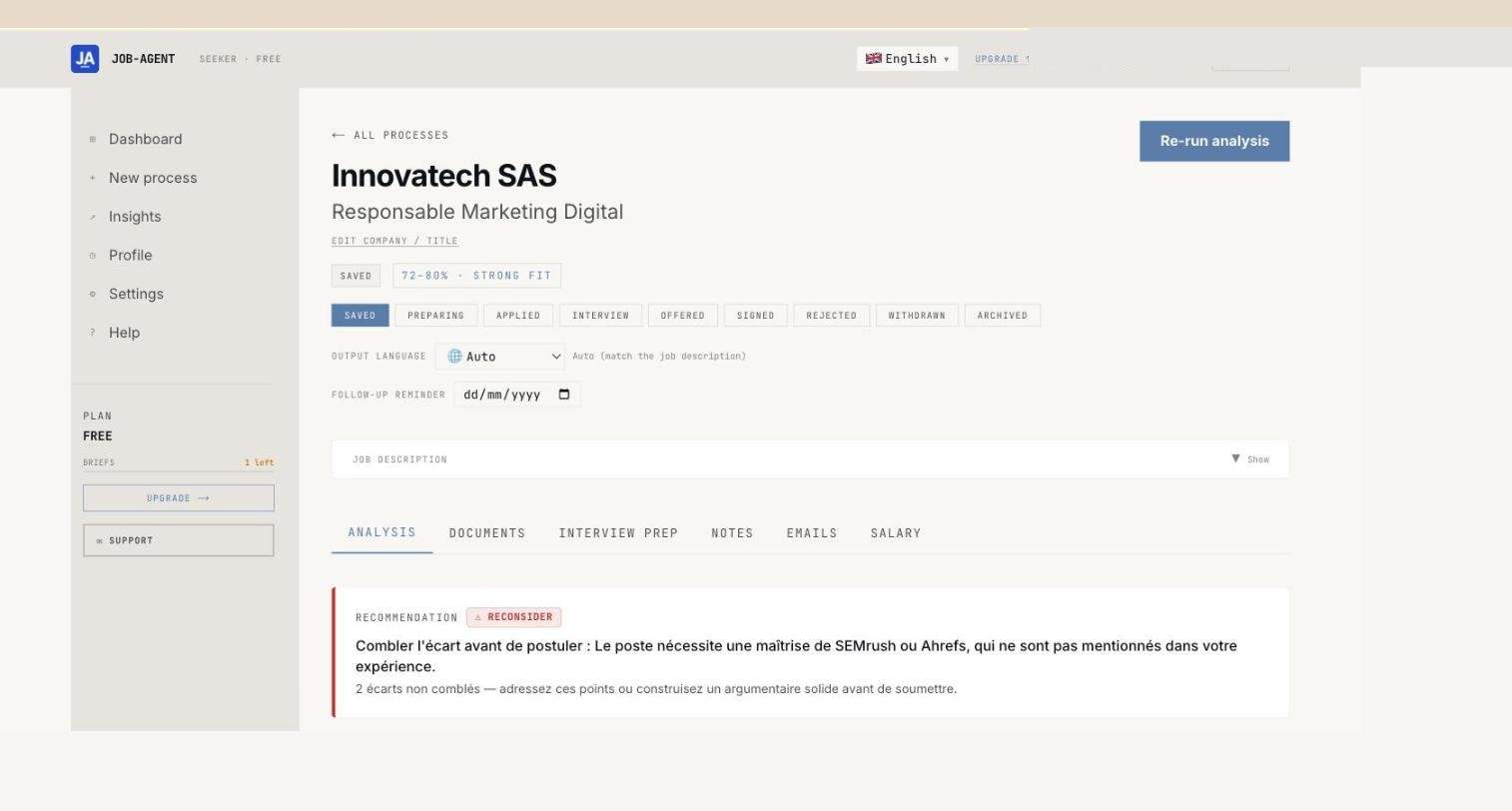
Once the process is created, Job-Agent analyses the fit between your profile and the job posting. The result is a numerical score accompanied by a clear recommendation.

Application fit score
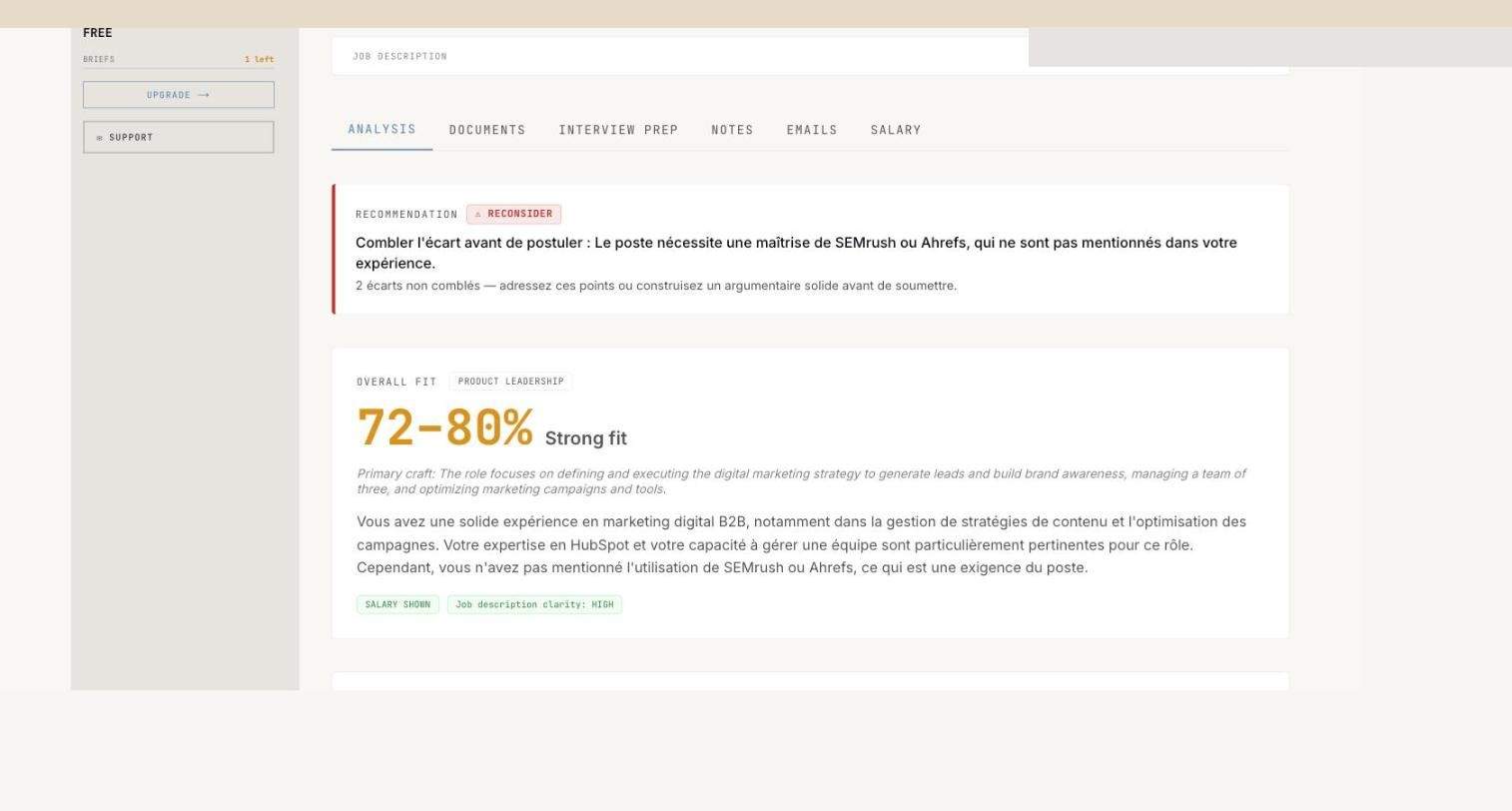
72%
Fit score Innovatech SAS - Digital Marketing
ScoreLevelMeaning
85-100%EXCELLENT FITApplication very strongly recommended
72-84%STRONG FITGood alignment, application recommended
55-71%GOOD FITDecent fit, some gaps
40-54%WEAK FITSignificant gaps to bridge
<40%POOR FITProfile far from the role requirements
AI analysis detail

Understanding the recommendation

In addition to the score, the AI provides a natural language recommendation that explains:

Detected strengths Identified gaps Specific advice Missing skills
Example for Innovatech SASScore 72-80%, RECONSIDER recommendation. The AI notes strong alignment on digital marketing and data analysis, but identifies a gap on SEMrush/Ahrefs. Advice: highlight equivalent SEO tools already mastered.
5

Document generation

Tailored CV and cover letter

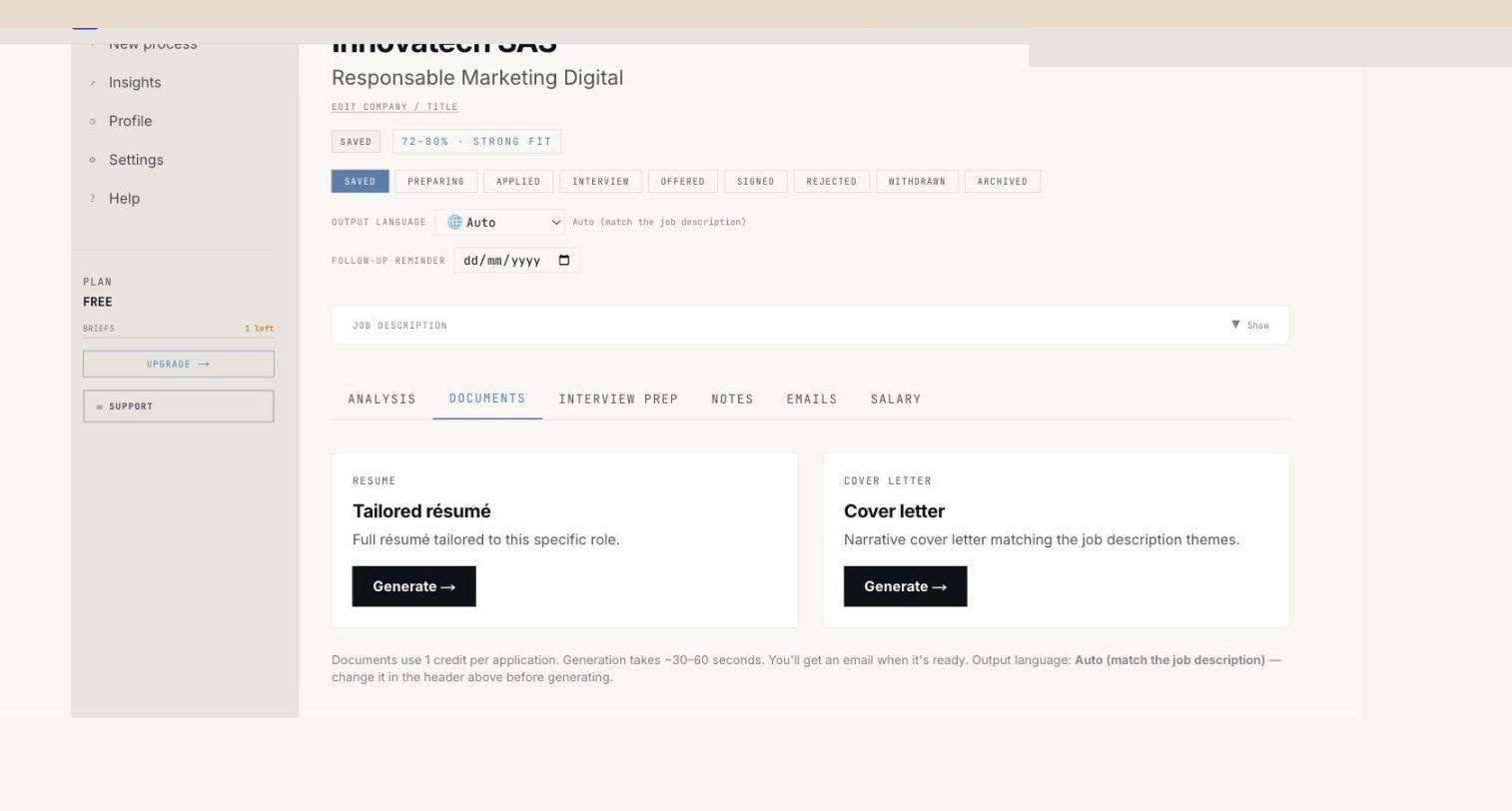
The "Documents" tab lets you generate in one click a CV tailored to the role and a personalised cover letter, based on your Memory Core and the job analysis.

Documents tab
πŸ“„

Tailored Resume

CV reordered and optimised to highlight the most relevant skills for this specific role.

βœ‰οΈ

Cover Letter

Cover letter written automatically, tailored to the role and company, in your style.

Open the Documents tab

On your application page, click the "Documents" tab.

Click "Generate"

Click the "Generate" button under "Tailored Resume" or "Cover Letter".

Download or copy

Once generated, you can download the document or copy the text to adapt it manually.

TipAlways generate both documents before applying. The tailored CV and cover letter created together are optimised for the same context and form a consistent application package.
6

Interview preparation

Interview Prep and research brief

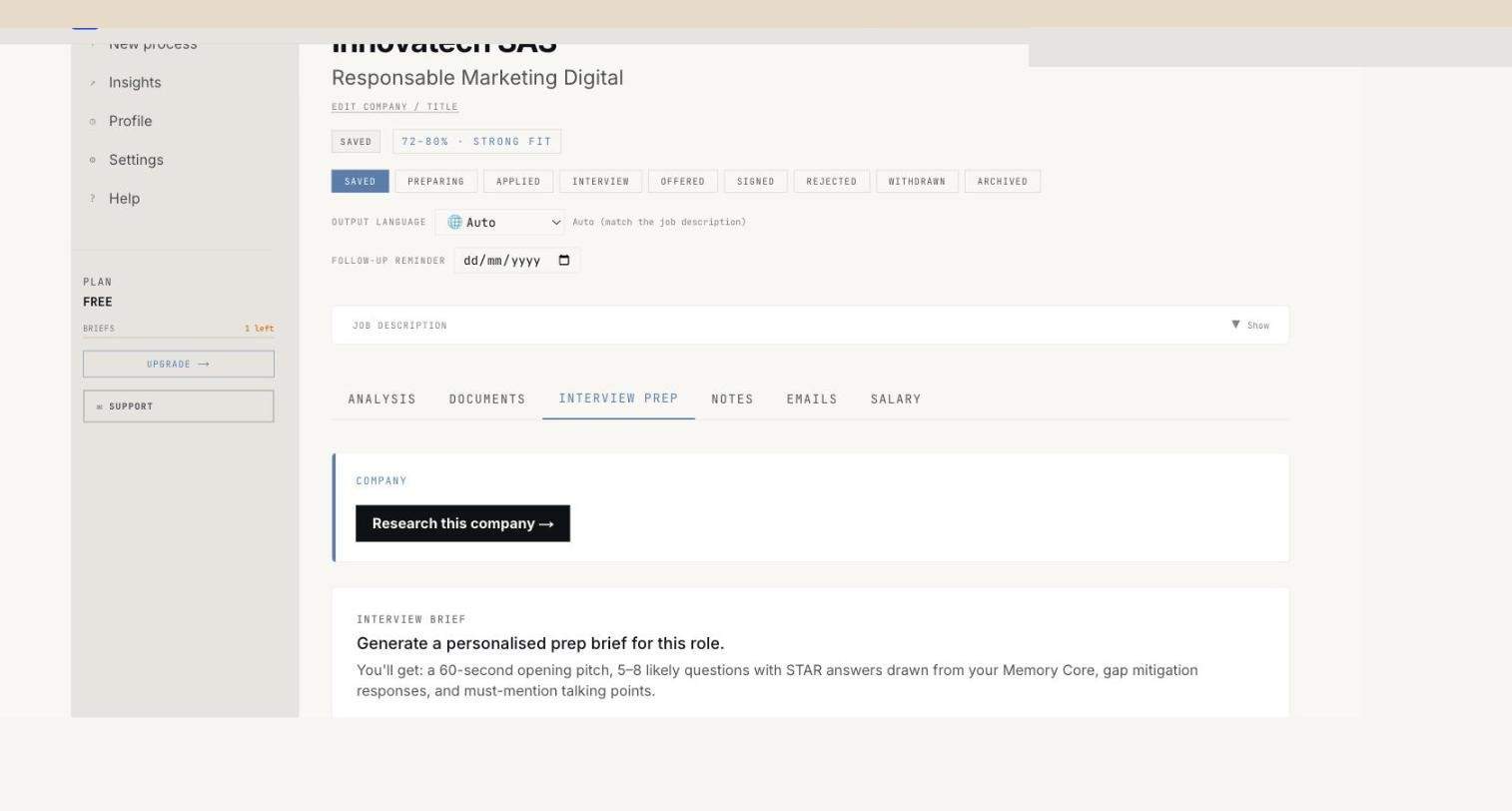
The "Interview Prep" tab helps you prepare for interviews with two distinct tools: company research and the interview brief.

Interview Prep tab
πŸ”

Research this company

Generates a report on the company: news, values, market positioning, strategic challenges.

🎯

Interview Brief

Creates a personalised preparation guide with likely questions, your strengths to highlight and gaps to anticipate.

Recommended useStart with "Research this company" 48 hours before the interview to get to know the company well. Then generate your "Interview Brief" the day before to structure your answers.
7

Your profile - Memory Core

Professional identity extracted from your CV

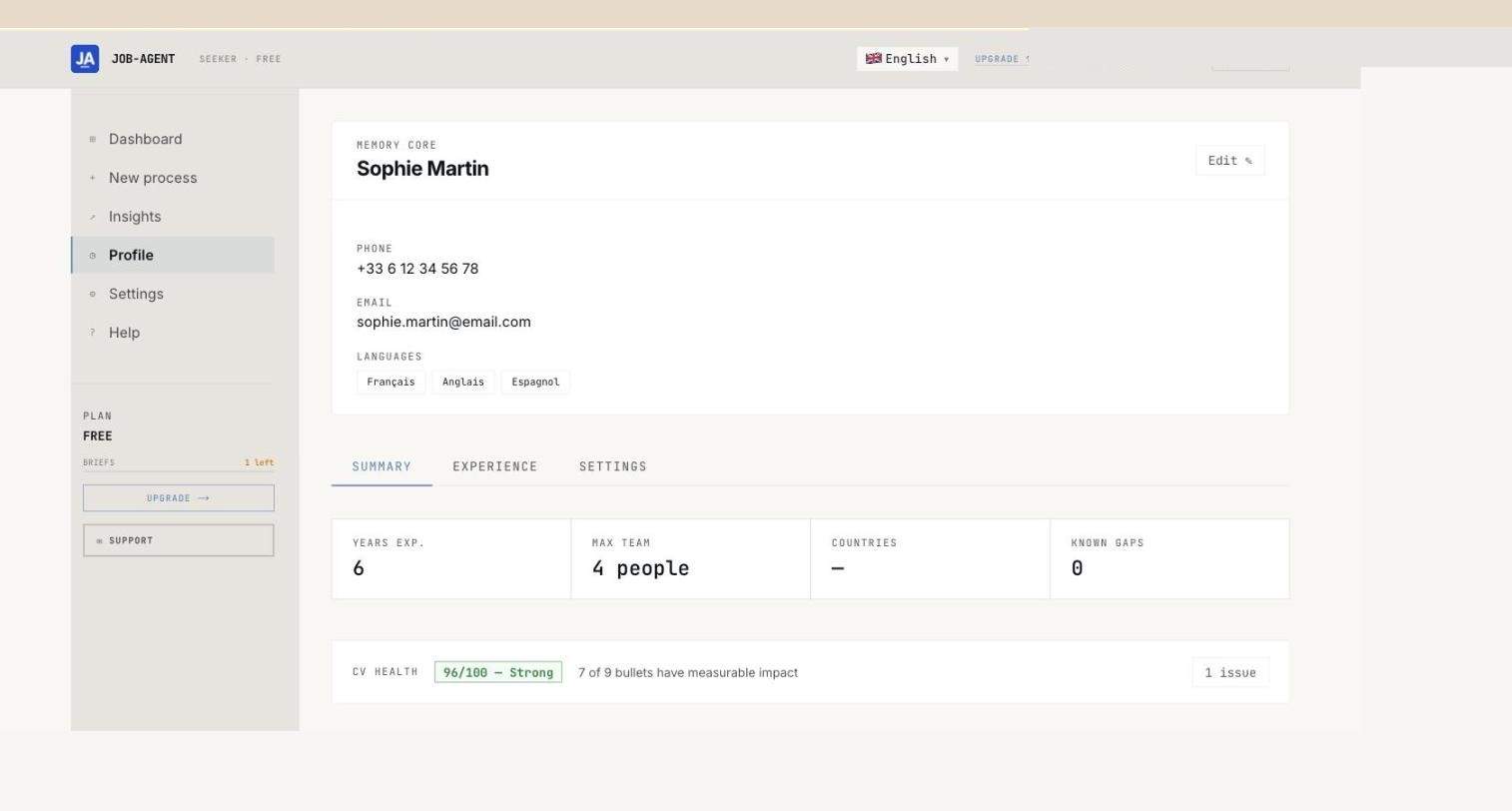
The Profile page is the heart of Job-Agent. It displays your Memory Core: the professional themes, evidence clusters and indicators detected from your CV.

Memory Core profile
πŸ‘€

Basic information

Name, phone, email, languages spoken. Automatically extracted from your CV.

πŸ’―

CV Health Score

Quality score for your CV (96/100 for Sophie Martin). Indicates the completeness and structure of the source document.

Themes and evidence clusters

Themes and evidence clusters

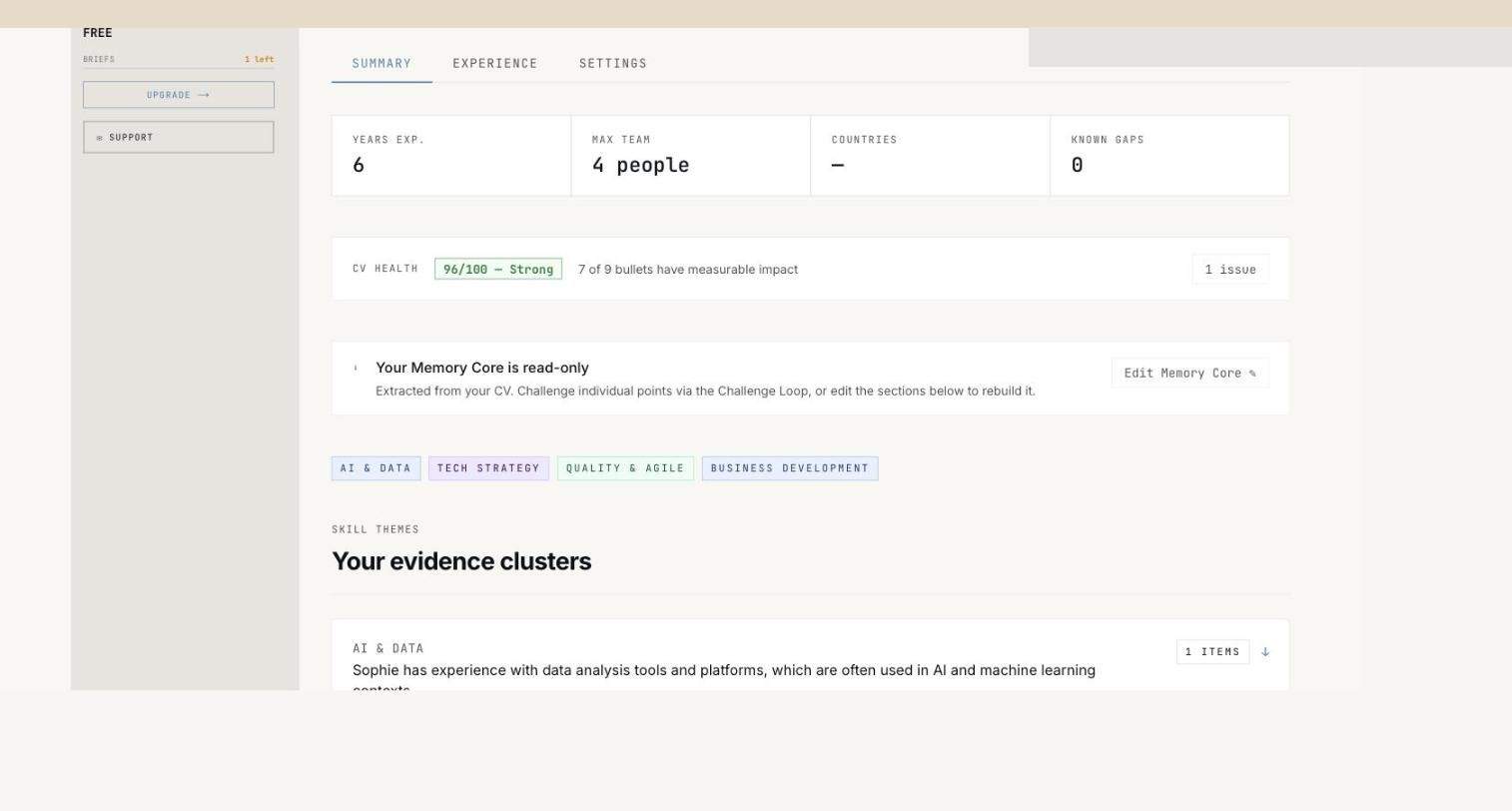
Job-Agent identifies your key professional themes and the "evidence" (experiences, projects, results) that supports them:

AI & DATA TECH STRATEGY QUALITY & AGILE BUSINESS DEVELOPMENT
How is the Memory Core built?During onboarding, you upload your CV. The AI analyses it and automatically extracts your professional themes, roles, experience and key skills. This profile is then used for all fit analyses.
8

Insights

Analytics for your job search

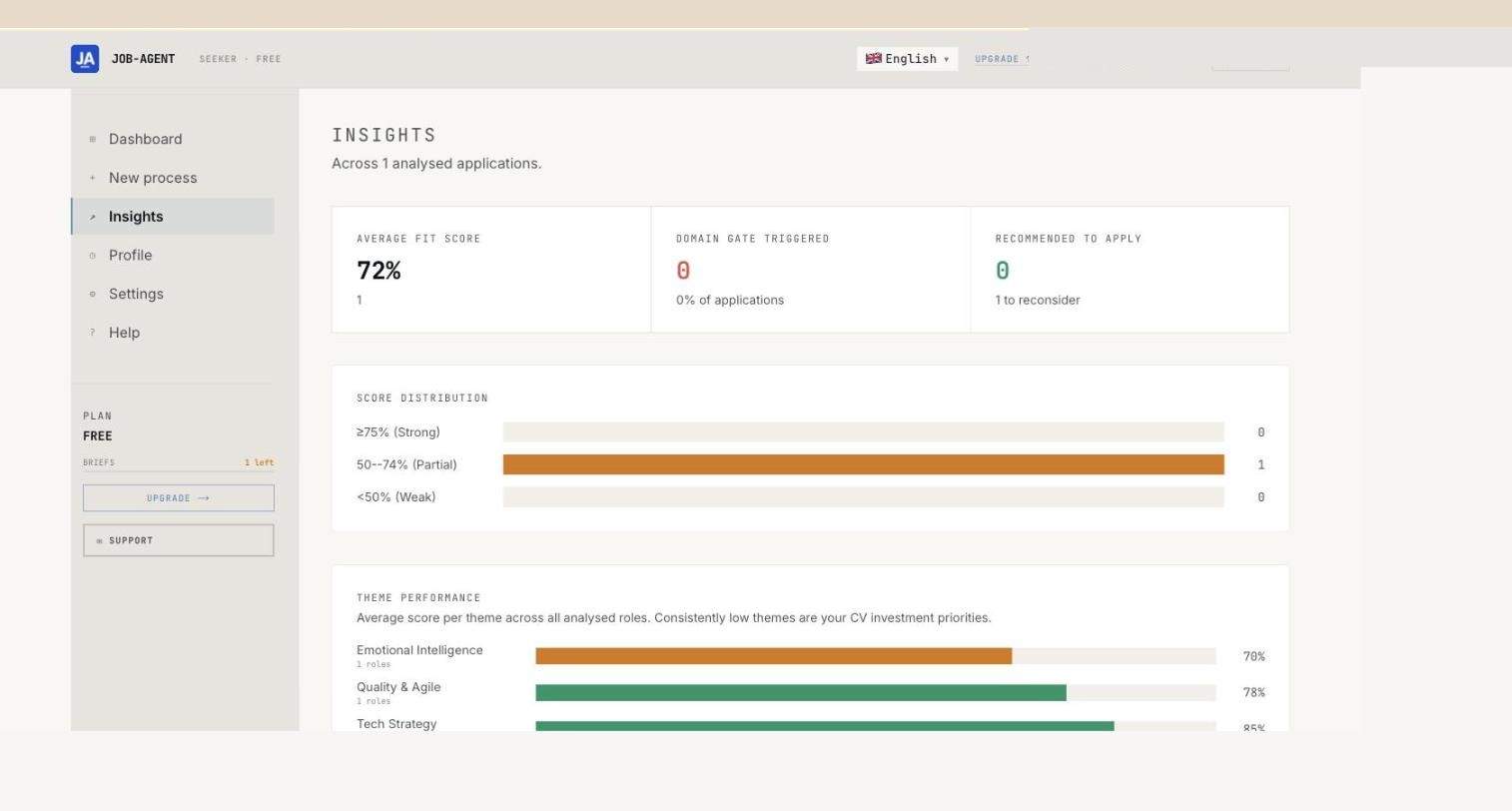
The Insights page provides a comprehensive analytical view of your search: score distribution, performance by theme, trends in your applications.

Insights page
πŸ“Š

Average score

72% fit score across all of Sophie Martin's active applications.

πŸ“‰

Score distribution

Distribution chart to visualise whether your applications are well targeted or too spread out.

🎯

Performance by theme

Which themes from your Memory Core perform best across your applications?

Using Insights to improveIf your average score stagnates below 65%, revisit your Memory Core: your source CV may be too generic. Add quantified results and keywords specific to your target sector.
9

Tips to get started

Getting the most out of Job-Agent

Recommended workflow

Polish your source CV

Upload a complete, structured CV with quantified results. The richer your CV, the more accurate your Memory Core and the more relevant your analyses.

Check your Memory Core

After uploading, check the Profile page. Verify that the detected themes accurately reflect your real skills. If a theme is missing, enrich your CV.

Paste the full description

When creating a process, always paste the full job description, not a summary. The AI needs the complete text for an accurate analysis.

Generate documents before applying

Never apply with your generic CV. Always use the tailored CV and cover letter generated for each application.

Prepare your interviews with the brief

As soon as you get an interview, generate an Interview Brief and the Research this company report. This makes a notable difference in your preparation.

Check your Insights regularly

Visit the Insights page each week to identify patterns: which types of roles suit you best, which themes open the most doors for you.

NoteScreenshots in this guide show the English interface, which is the default language of the application.